

Hello Luthiers!
Fixes & Enhancements
Painting station: Fixed an issue where skins would load onto wrong bodies when no skin was equipped.
UI improvement: The Skin workflow is now hidden if no skins are available for the selected body item.
Overall texture improvements for the base wood and wood tab.
New Wood Tab & Color Mixing Options
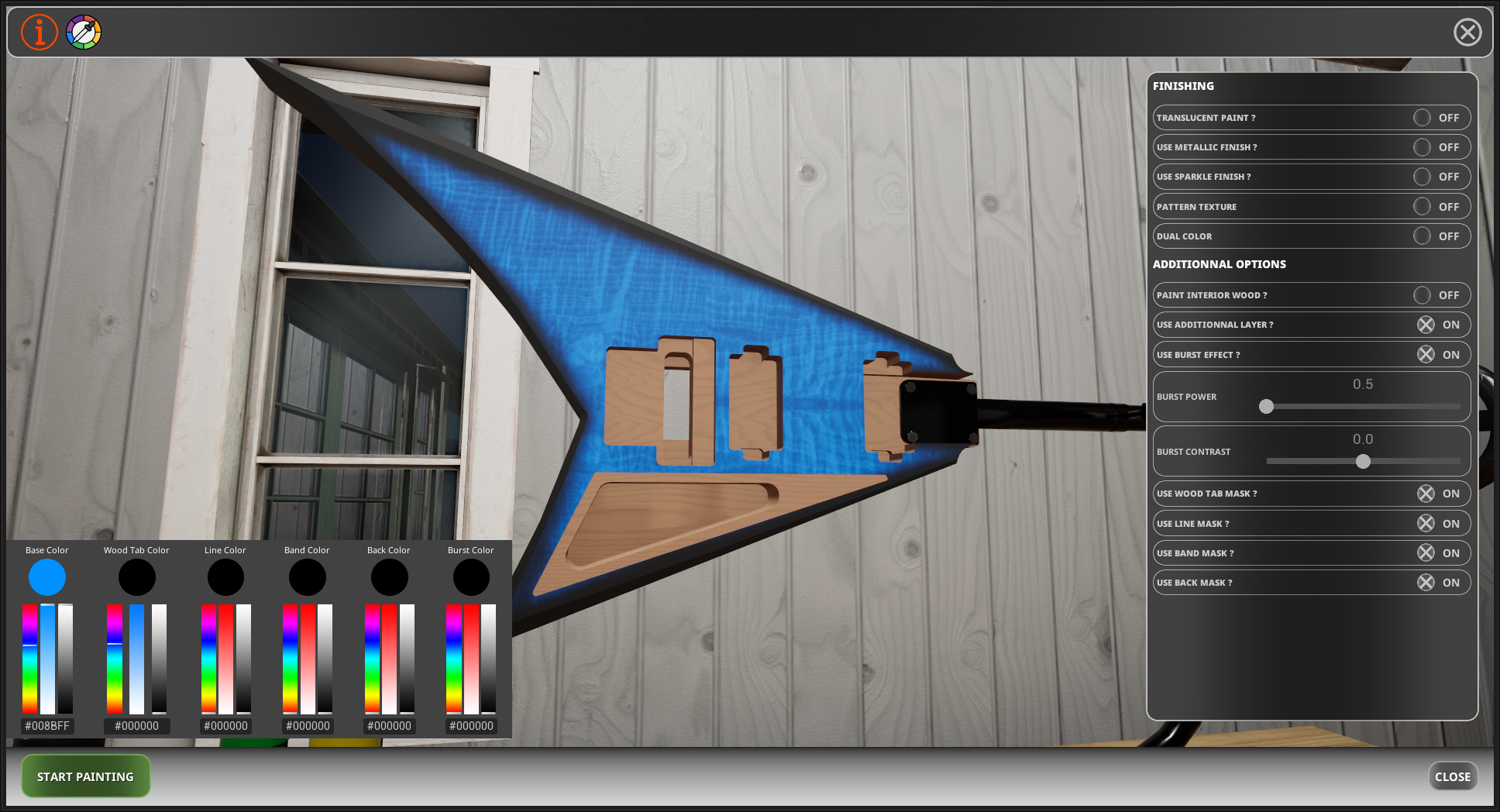
The "Use Wood Tab Color" toggle now allows you to mix the wood tab color with the primary color using the wood grain as a mask. This means you can keep the entire body in a solid color while retaining visible wood grain only on the wood tab (Note: the Translucent Paint switch still applies visible wood grain everywhere). This opens up great possibilities, such as tinted wood tabs or adding a burst effect on top.
How it works:
The darker parts of the wood texture are controlled by the Wood Tab Color.
The lighter parts are controlled by the Primary Color.
Simply select your two colors, fine-tune the mix, and use the line, band, and back masks to customize the rest of the body.
Example setup:
Band, Line, Back mask & Primary color: Black
Wood Tab color: Blue
Burst effect (on top): Black
Result: A tinted blue wood tab with visible wood grain, paired with a full black body and a clean burst effect! Of course, you can try reversing the colors for a different look (blue as the primary color and black for the wood tab color)
MODDING TEMPLATE
The modding section is now live on the official Accretion Games website, featuring the first downloadable templates! Everything about the modding system is fully documented and easy to pick up.
Whether you're a modder or an artist looking to create custom textures for inlays, fret markers, body skins, or flags:
Download the template you need.
Edit the .PSD file.
Export your texture!
For pattern designs, all you need is a seamless black-and-white tiling image.
Upcoming Skin Contest
A skin contest will be hosted soon on the Steam Workshop, with top creations featured to highlight our best community artists! Feel free to take screenshots of your work in the Showroom level (accessible directly from the main menu) and share them with the Steam Community.
You can access the modding hub directly via the Steam Workshop banner by clicking the "Learn More" button, or through the direct link below:
Accretion Games Modding Page
I can't wait to see your creations!
Changed files in this update