
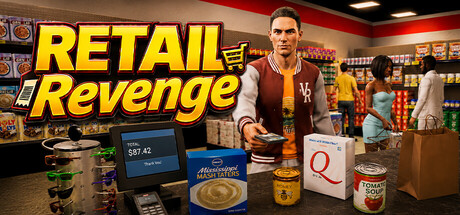

Play with Keyboard and Mouse
You can now run the shop without a VR headset. Desktop play includes stocking shelves, serving customers, managing the store, using tools and handling weapons.
- Play in first person or third person, using the mouse wheel to move between views and adjust the third-person camera distance.
- Adjust mouse sensitivity and field of view in Player Settings.
- Use the desktop equipment inventory to organise weapons, tools, magazines and attachments.
- Assign equipment to ten quick slots, using 1–9 and 0.
- See your money, level and Store Rep on screen, with ammunition information displayed while holding a firearm.
- Aim firearms with the right mouse button, reload with R, and change supported firing modes with K.
- Use Q to stow equipment and O to drop it.
- Place and rotate shelves using the building inventory and its on-screen controls.
Desktop players also have a visible human character, with first-person arms and third-person movement and weapon animations.
Run the Shop Together in Co-op
Share the workload—or the chaos—with co-op through Steam invitations.
- Play together in Career or Sandbox.
- VR and desktop players can play together.
- Help stock shelves, serve customers, manage equipment and deal with trouble around the shop.
- Visiting players can operate the shop’s opening and closing switch.
- See the other player moving around the store, including tracked head and hand movement for VR players.
The host owns the store save, so the shop’s progress stays with their Career or Sandbox.
New Guided Career Tutorial
New Careers now include a guided introduction inside the actual shop.
The tutorial takes you through:
- Moving around and interacting with the store.
- Purchasing, carrying and opening stock cartons.
- Assigning shelf products, stocking and setting prices.
- Preparing bags, checking out a customer and taking payment.
- Disposing of empty packaging and finishing the shift.
- Practising shelf placement and previewing a store expansion.
- Trying melee weapons, loading a firearm, cocking it, firing and handling a suppressor.
Shelf and weapon practice uses temporary loan equipment, letting you learn those systems without buying the practice items.
Highlighted targets show where to go and what to interact with. Progress saves with your Career, and instructions use the controls for your chosen mode.
In VR, firearm lessons focus on physical magazine handling, cocking, firing and suppressors. Either trigger can acknowledge tutorial instructions.
You can revisit instructions through Help. Players who have earned the Sandbox unlock can also skip the opening tutorial when starting another Career.
New Glock Magazine Options
Two larger magazines are available to purchase:
- 50-round drum magazine — unlocks at Store Level 21, priced at $45.
- 100-round double-drum magazine — unlocks at Store Level 35, priced at $90.
The Glock also gains an automatic fire mode.
On desktop, press G while holding the Glock to cycle between compatible loaded magazine types you own. Missing or empty magazine types are skipped.
Pack Stock Back into Cartons
Added purchasable empty flatpacks for reorganising stock.
On desktop, hold a flatpack and press T while looking at a stocked shelf row. The packaging takes the appropriate carton or crate form and collects existing products from that row until it is full or the available stock runs out.
You can also return a matching loose product to an open carton using R.
This gives you another way to move stock between shelves and storage when changing your shop layout.
Choose Your Career Customer Flow
Added Easy, Medium, Hard and Chaotic customer-flow settings for Career.
These control customer arrival pacing and the number of shoppers the store aims to maintain. Choose a quieter shop while learning or increase the flow when you want more activity. Medium is the default.
Thanks to everyone who has tested Retail Revenge and shared feedback. We’re looking forward to seeing how you run the shop with these new ways to play.
Changed files in this update