

MAJOR UPDATE 2 IS HERE!
Hi Chefs!
We’ve got a next one for you!
Major Update 2 brings couple new features and improvements to the game including a new Relax Mode for Career, easier Steam invites and joining, a third-person camera for emotes, requested by many of you custom music support, and a collection of Steam Deck improvements and fixes.
Let’s take a look at what’s new!
CAREER RELAX MODE
Want to play through Career without worrying about the clock?
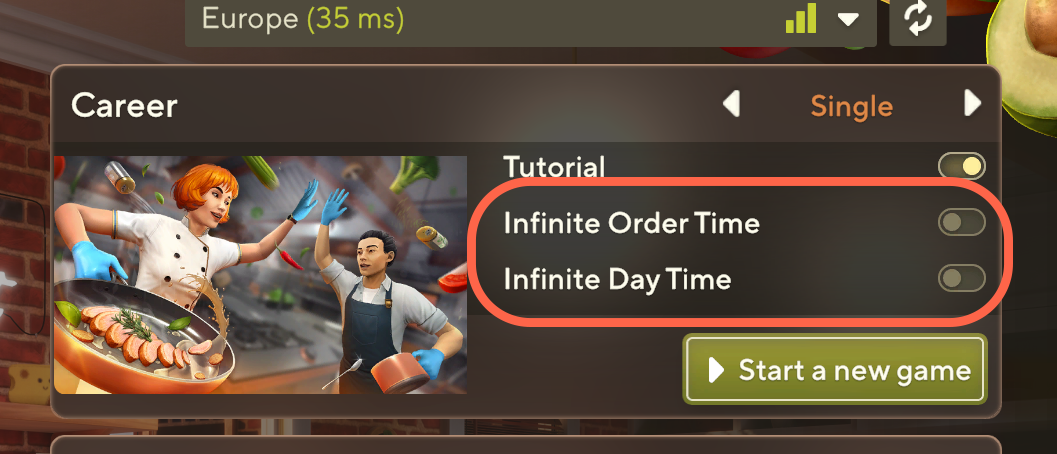
You can now enable Relax Mode in Career.
With Relax Mode enabled, you can choose:
Infinite day time
Infinite customer waiting time
The system works in the same way as Relax Mode in Sandbox, giving you more freedom to focus on cooking, experimenting, and progressing through your kitchen without the usual time pressure.
STEAM JOIN/INVITE
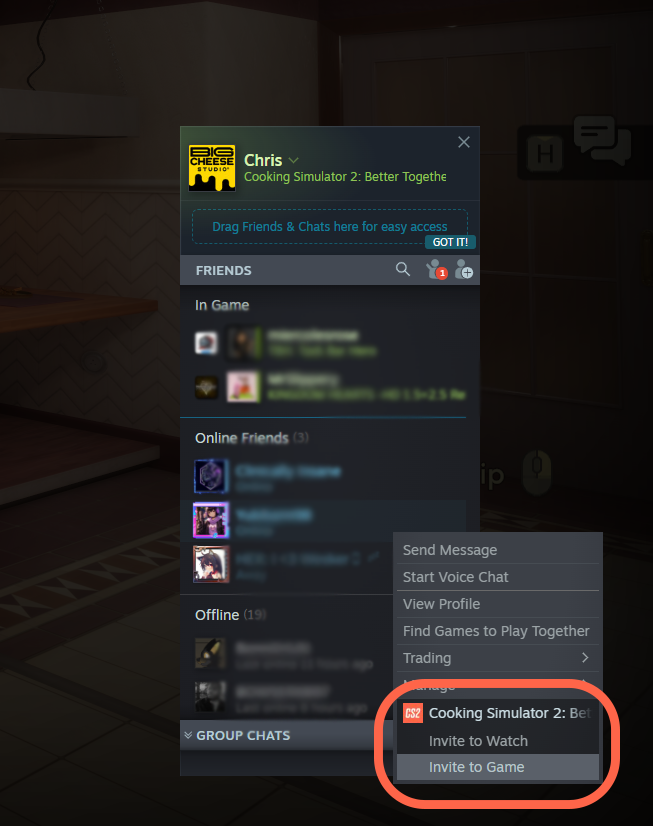
Joining your friends through Steam invites is now much easier!
Accepting a Steam invitation should now automatically take care of the joining process depending on your current game state.
Already in the game
If you’re in the main menu and already have an avatar, accepting an invite will automatically start the joining process.
If you don’t have an avatar yet, you’ll be taken through character creation first. Once your avatar is saved, the game will continue with joining the session.
If you’re already playing when you accept an invitation, the game will let you know that you’re about to join another player.
When applicable, your game will perform an autosave before connecting.
Game is closed
If the game isn’t running and you accept a Steam invitation:
With an existing avatar, the game will launch and automatically join the session.
Without an avatar, the game will launch and take you to character creation first. Once your character is saved, the joining process will begin automatically.
The goal is simple: accept an invite and get into the kitchen with your friends with as little hassle as possible.
THIRD-PERSON CAMERA FOR EMOTES
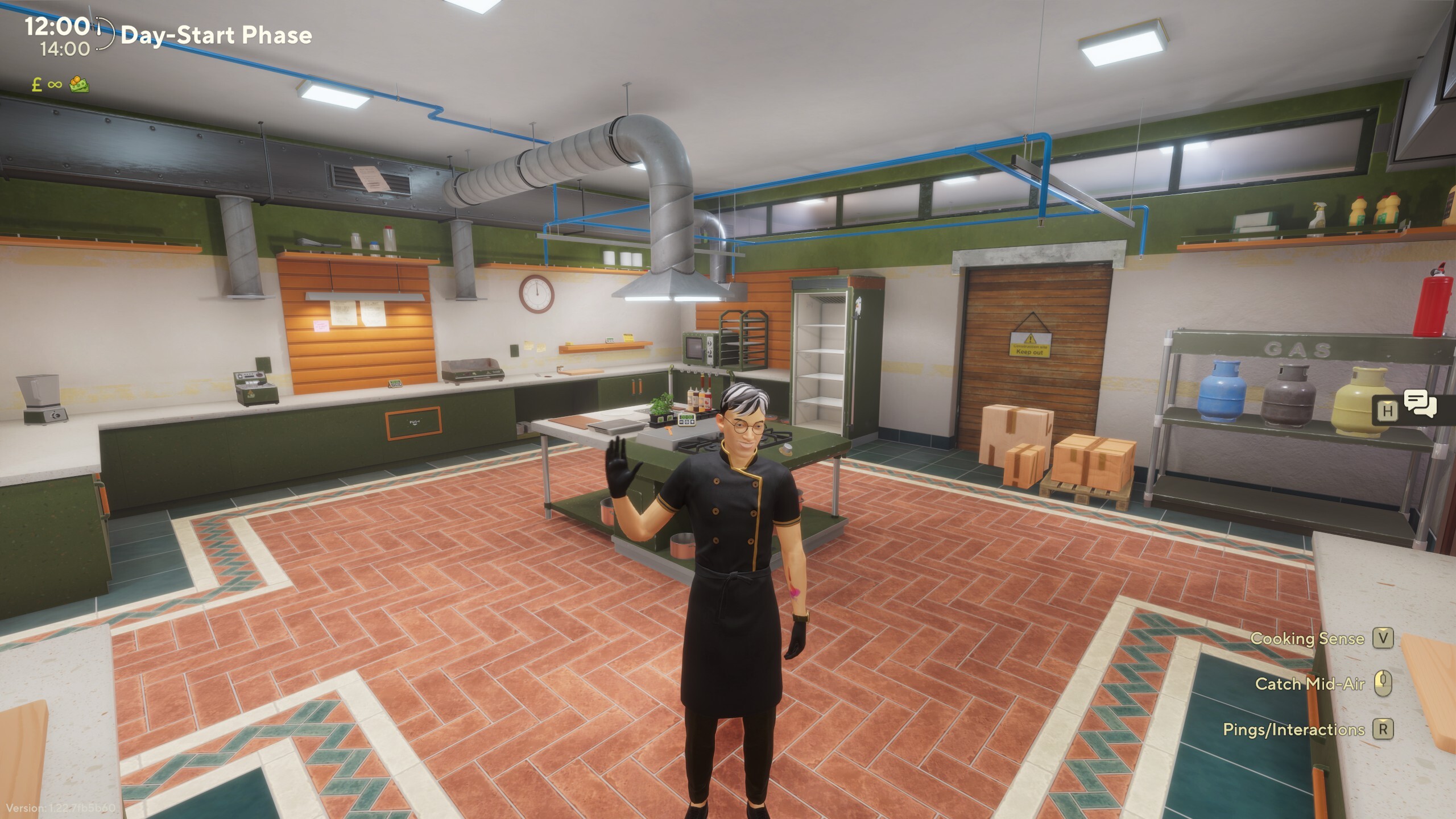
Emotes now have a new presentation!
When you activate an emote:
Your character becomes visible.
The emote animation starts.
The camera moves away from your character while avoiding environmental collisions.
The animation finishes.
The camera returns to its normal position.
You can orbit the camera while the emote is playing.
Moving with WASD will cancel the emote camera sequence and immediately return the camera to its normal state.
The camera transition is currently instant to avoid potential motion sickness caused by camera movement.
CUSTOM MUSIC
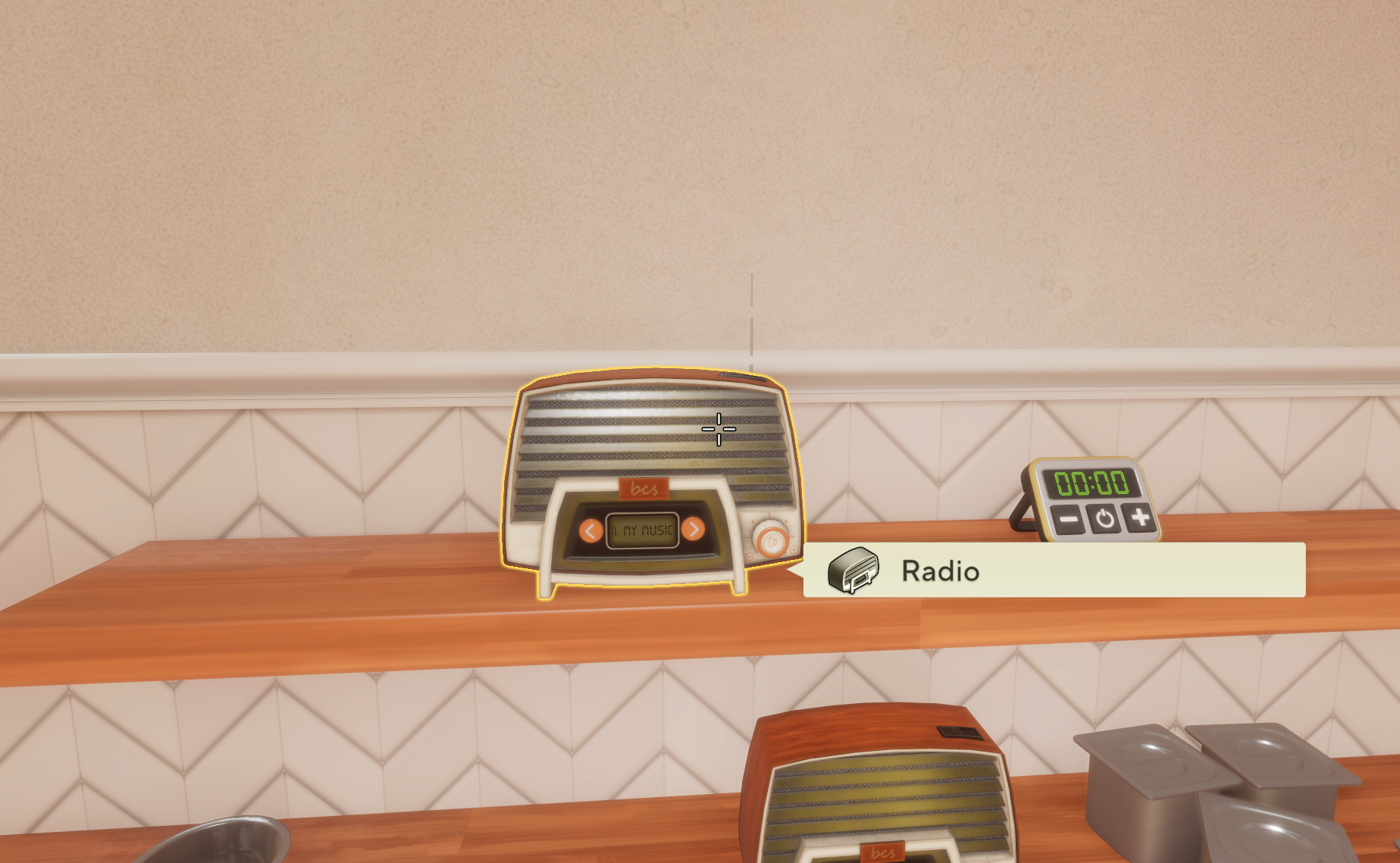
Want to bring your own soundtrack into the kitchen?
You can now add custom music to the in-game music players.
The system supports:
.mp3.ogg.wav
Custom music is loaded from:
%USERPROFILE%\\Documents\\BigCheeseStudio\\CookingSimulator2\\CustomMusic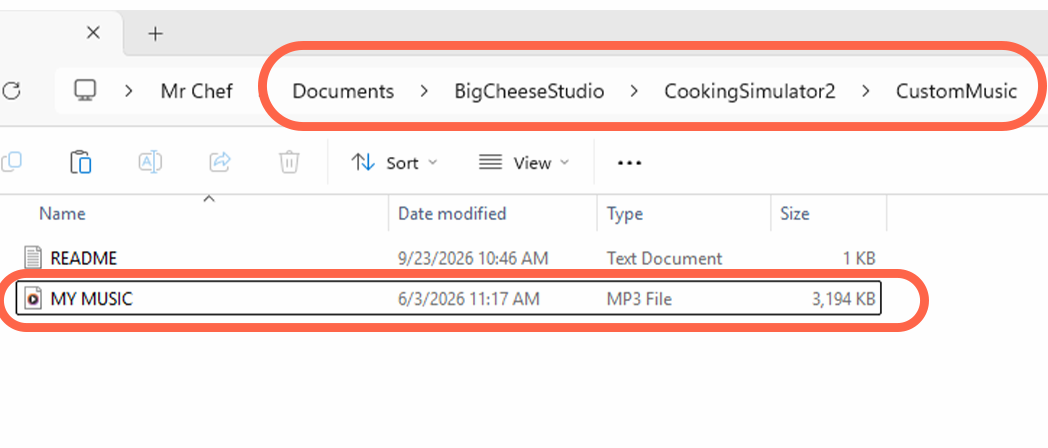
The game will scan this folder when launching and when changing game states, such as moving from the menu into the kitchen.
If the folder doesn't exist, the game will create it and add a short README explaining how custom music works.
Your custom tracks will be added after the game's default music.
How multiplayer music works
Custom music itself is not synchronized between players.
Instead, the game synchronizes the track number on the playlist.
This means that if everyone has the same files in their CustomMusic folder, everyone will hear the same song.
If players have different files in their folders, each player may hear a different song.
STEAM DECK IMPROVEMENTS
We’ve also made several improvements specifically for Steam Deck:
Fixed discounted price text in the Shop cart tab when using the 16:10 display.
Fixed the virtual keyboard not appearing for the Knowledge Shop search bar.
Fixed an issue preventing players from completing the Dish of the Day tutorial on Steam Deck.
Fixed the on-screen keyboard appearing when focusing the ingredient panel.
Fixed an incorrect icon for the multiselect resize input hint.
FIXES & IMPROVEMENTS
Alongside the new features, this update also includes several fixes:
Fixed coating ingredients disappearing after blending coated ingredients in Blueprints.
Fixed mixture name localization in order rating.
Fixed finished quests counting.
fixed the boiiling animation showing incorrectly above the pots while the mixtures are boiling
THANK YOU, CHEFS!
Major Update 2 is another step forward for Cooking Simulator 2, and we’re really excited to get these features into your hands.
Whether you want to take things slower in Career, jump into a friend's kitchen through Steam, show off an emote, or cook along to your own soundtrack, we hope this update gives you a few more ways to enjoy the game.
As always, thank you for all the feedback, reports, suggestions, and ideas. We’re reading them, and they continue to help shape the game.
See you in the kitchen, Chefs!
Big Cheese Studio
Changed files in this update