
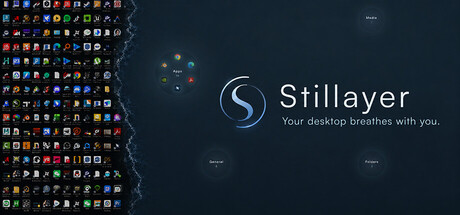

Thanks to everyone who tried Stillayer in its first two weeks. This update is shaped by what we heard: the pools looked calm, but getting to the thing you actually wanted took one step too many.
What's new
• Your six most-used apps now sit in the Apps pool, arranged like a clock: the one you open most is at 12, then clockwise from there. Click an icon to launch it. The order learns from how you use it — locally, on your PC, nothing leaves your machine.
• Shortcut icons no longer carry the little arrow overlay.
• "This PC", Network, Recycle Bin and Control Panel now show their real icons in the General panel.
• Pools no longer take over your desktop on first launch. You'll see the breathing wallpaper with your icons where they've always been. Open the pools whenever you like: the tab in the top-right corner, the tray menu, or Ctrl+Alt+G. Once you open them, Stillayer remembers.
• If you'd rather keep the pools plain, the ⊞ Icons toggle in the corner turns the ring off.
Fixes
• Pools could come up empty when Stillayer was the first thing to start after a cold boot. It now waits for the desktop to be ready.
• Stillayer now checks for the Microsoft Edge WebView2 Runtime at startup and points you to the official download if it's missing, instead of silently failing to open.
Existing users: the "pools as desktop" preference is reset to off once by this update, so everyone starts from the same gentle default. Open the pools once and it stays on.
If you've had Stillayer running for a day or more and something looks wrong — pools blank, no sound, menus not responding — please tell us in the discussions. Logs live in %LOCALAPPDATA%\\com.stillayer.desktop\\logs.
Changed files in this update